Problem
E-commerce delivery companies needed speed and transparency. Existing software on the market lacked the essential features to support their operations.
Small to medium e-commerce delivery companies were managing their operations with WhatsApp, Excel sheets and paper. Existing software could not support them. Delivery delays, a lack of transparency and a failure to streamline operations started costing them business.
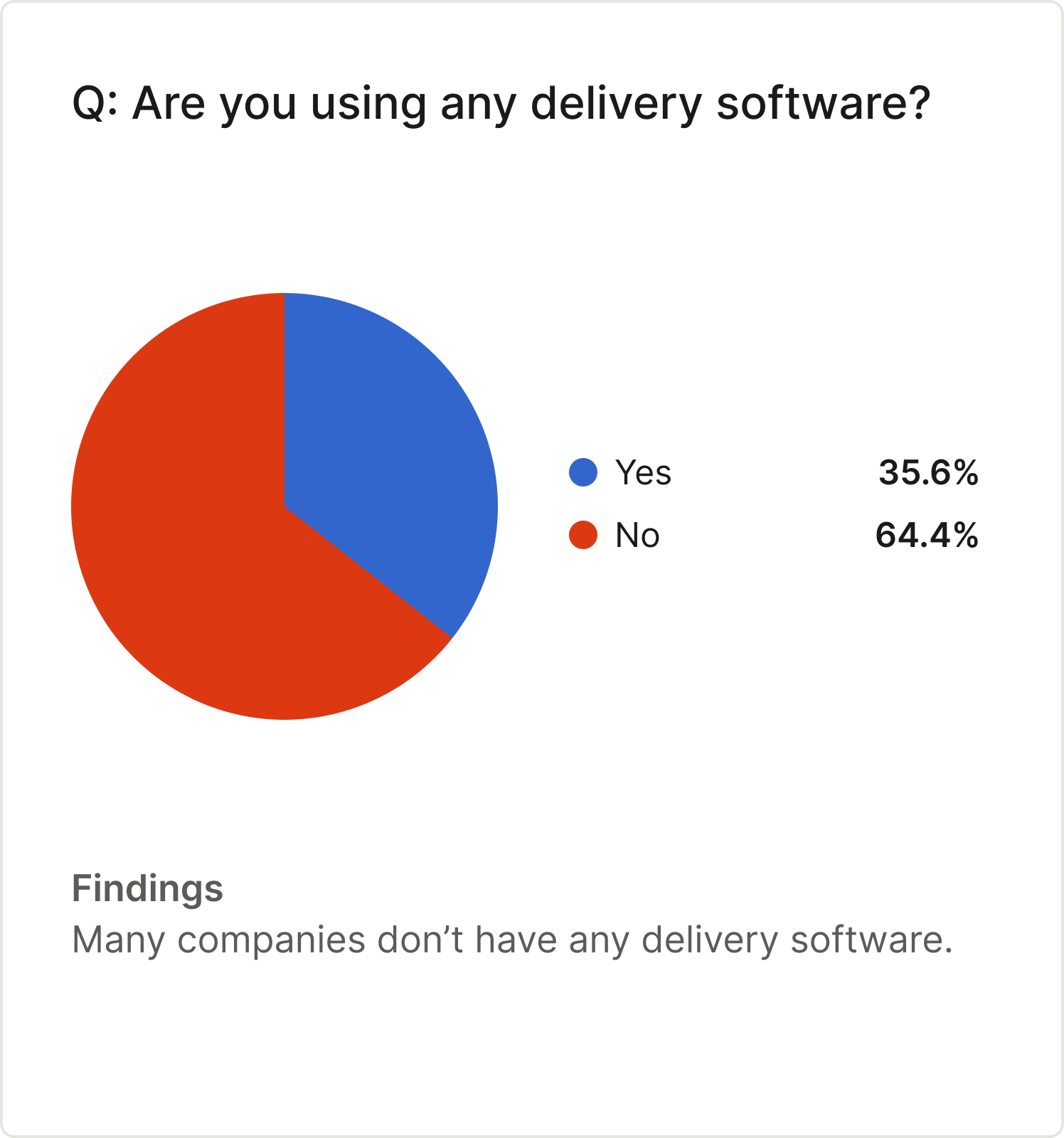
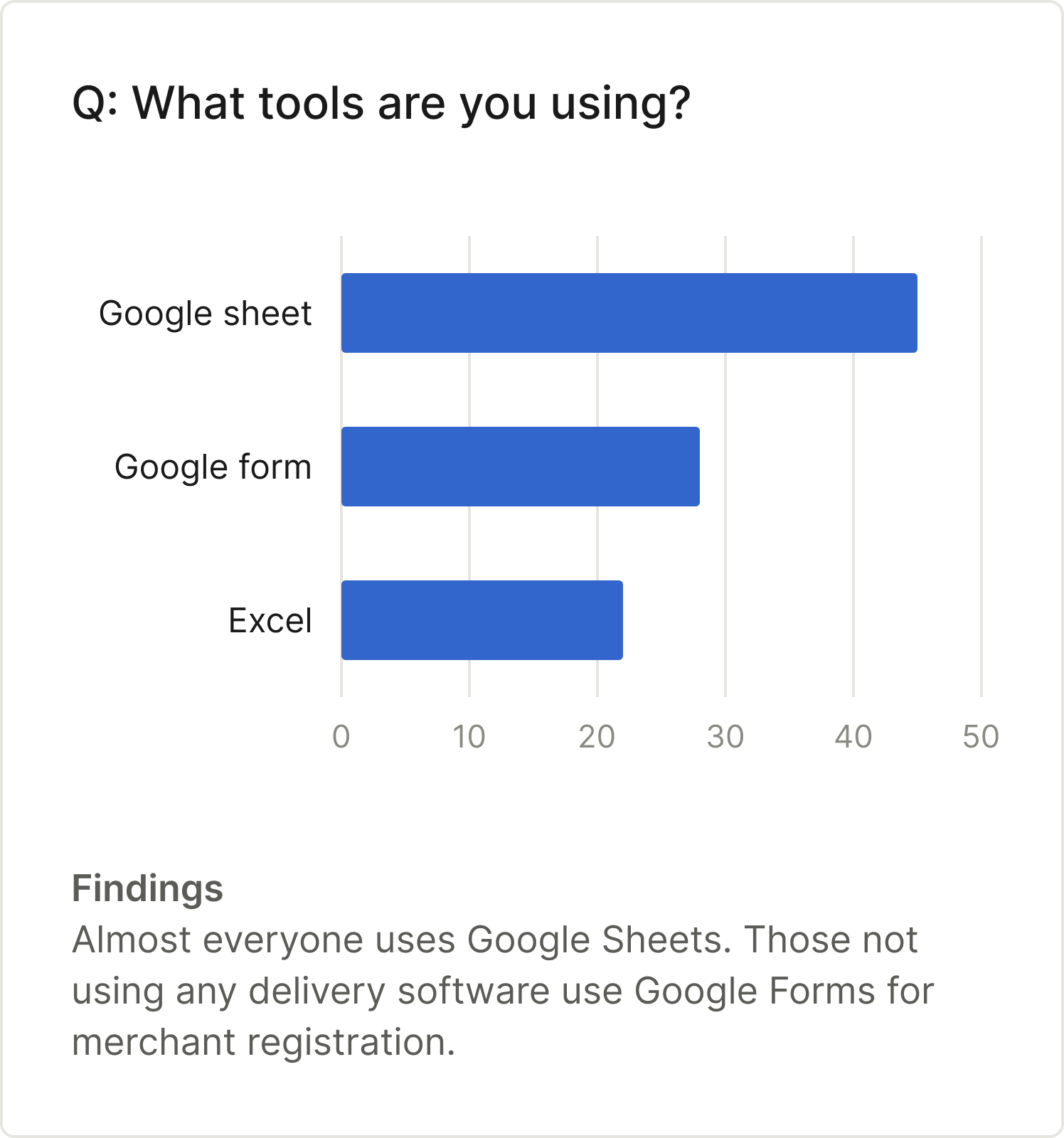
Delivery software existed, but none of it fit the way e-commerce delivery companies work: many small merchants sending parcels through a handful of riders. Building their own was too slow and too expensive for companies this size, so they ran on whatever was free. In our interviews, 64.4% used no delivery software, and the tool they named most was Google Sheets, with Google Forms for merchant registration.
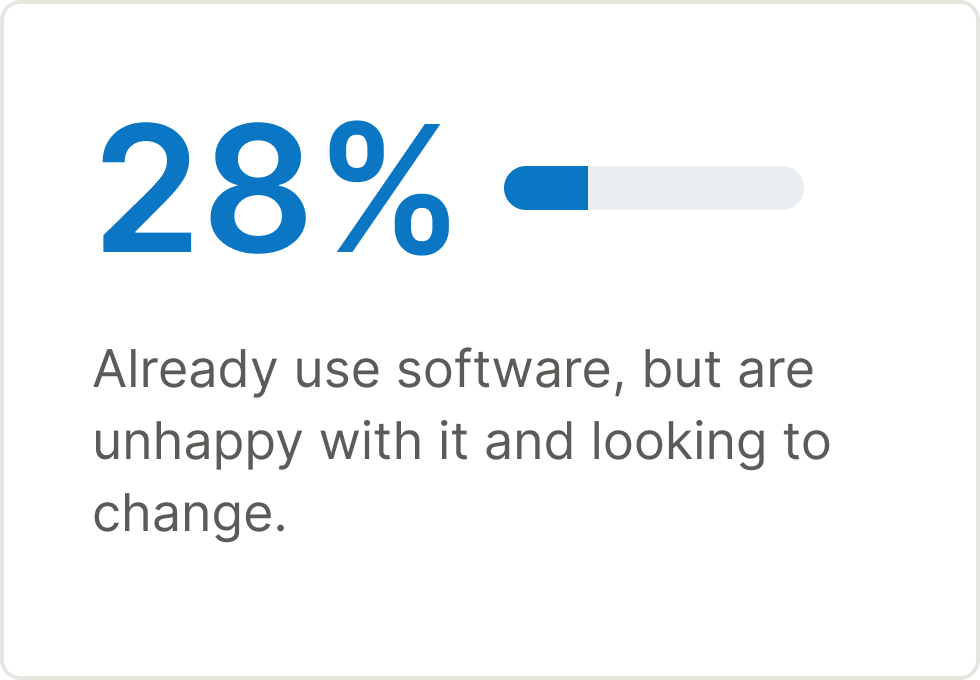
Among the owners who already paid for competitors' software, 28% were unhappy with it and looking to switch.

Illustrative images, generated with AI.
Goals
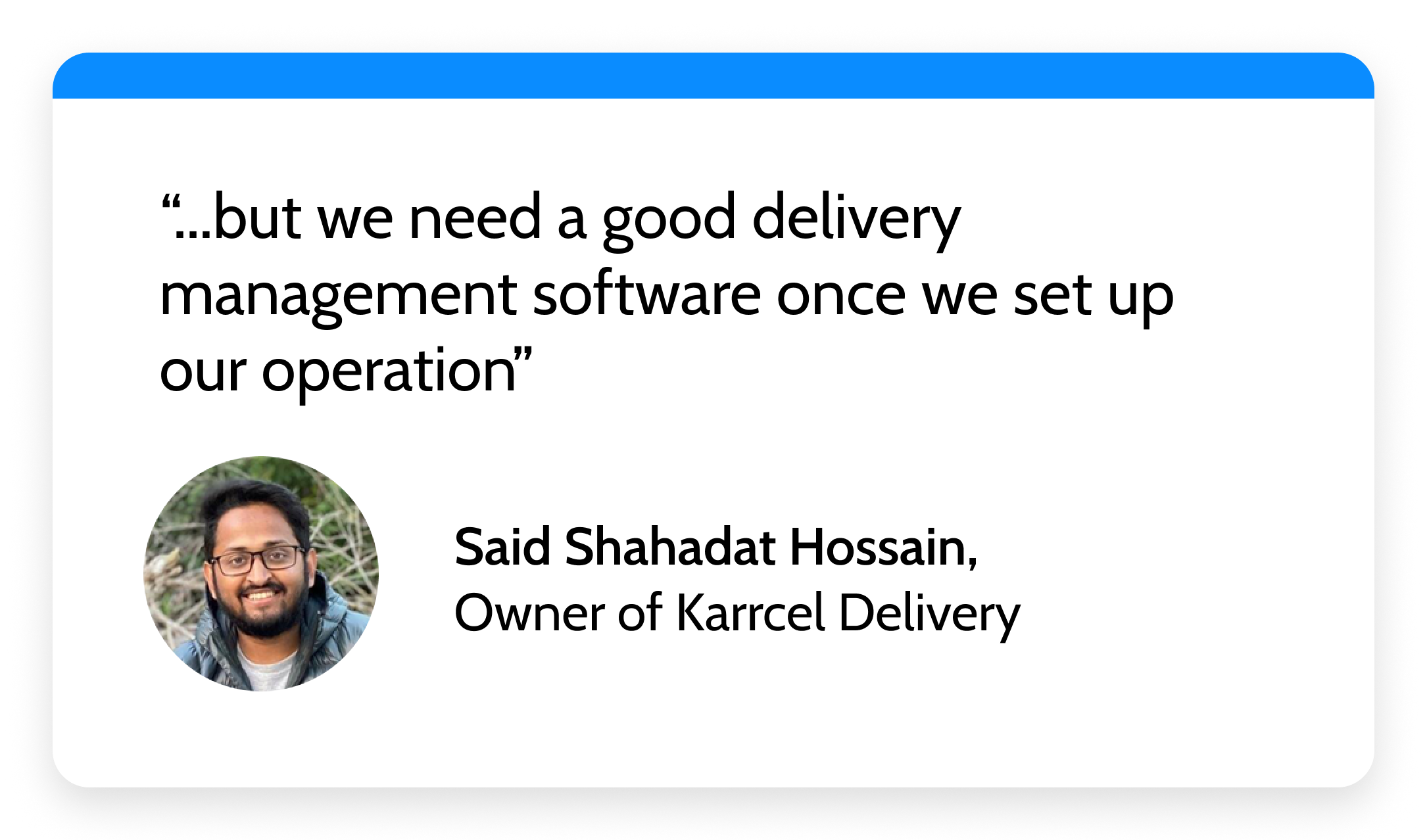
A cloud-based SaaS solution was needed, with the essential features to support last-mile delivery operations.
- Fast and affordable to start. An owner with no software budget should reach a working account without a long onboarding.
- Multiple types of users. It needs to support dispatchers, merchants and riders, so that each can see what their job needs.
- A path to modern. These users expect fast, current software. We had to move there without a budget for a rebuild.
Solution
We didn't have much budget for a separate build, and our team of six was swamped with other work, so we decided to use the existing Enterprise Workforce infrastructure to quickly build a solution for them: a dispatcher portal, a white-label merchant panel and a customized rider app.
The Dispatcher Portal
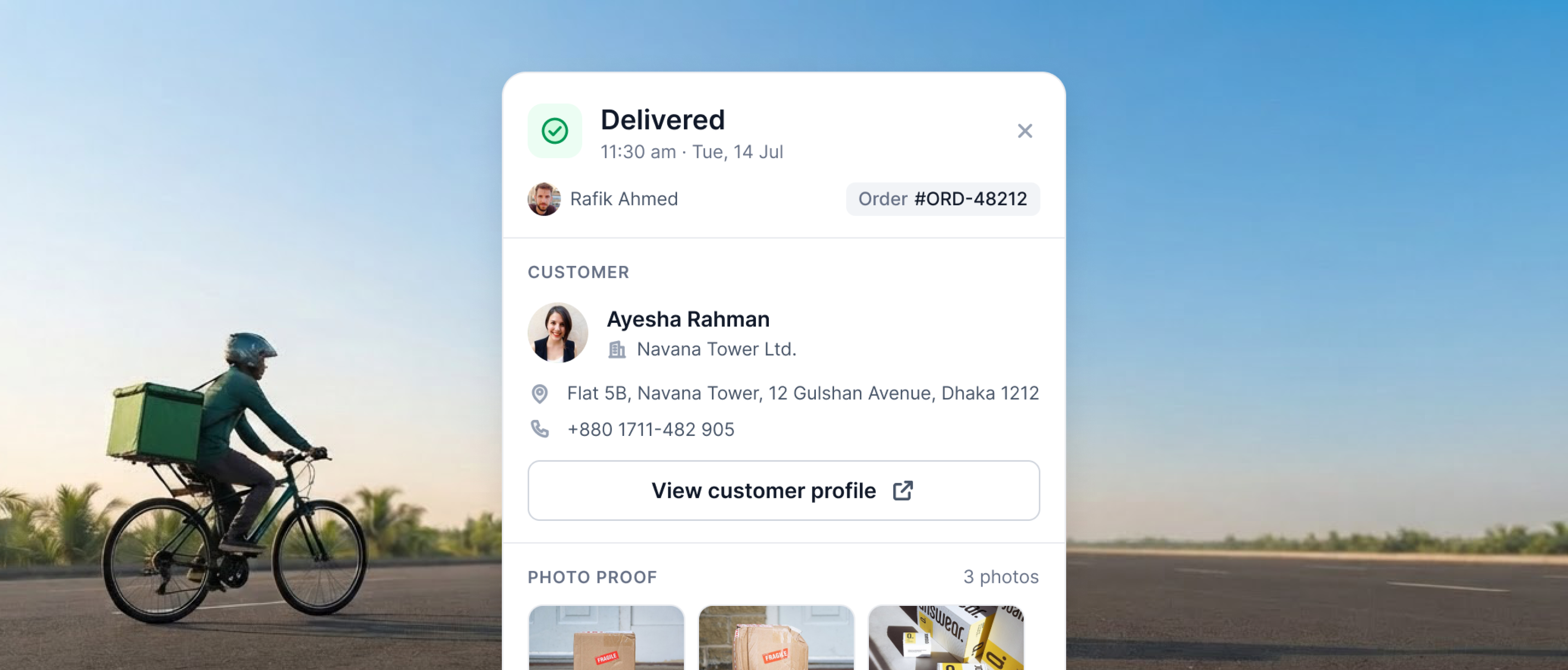
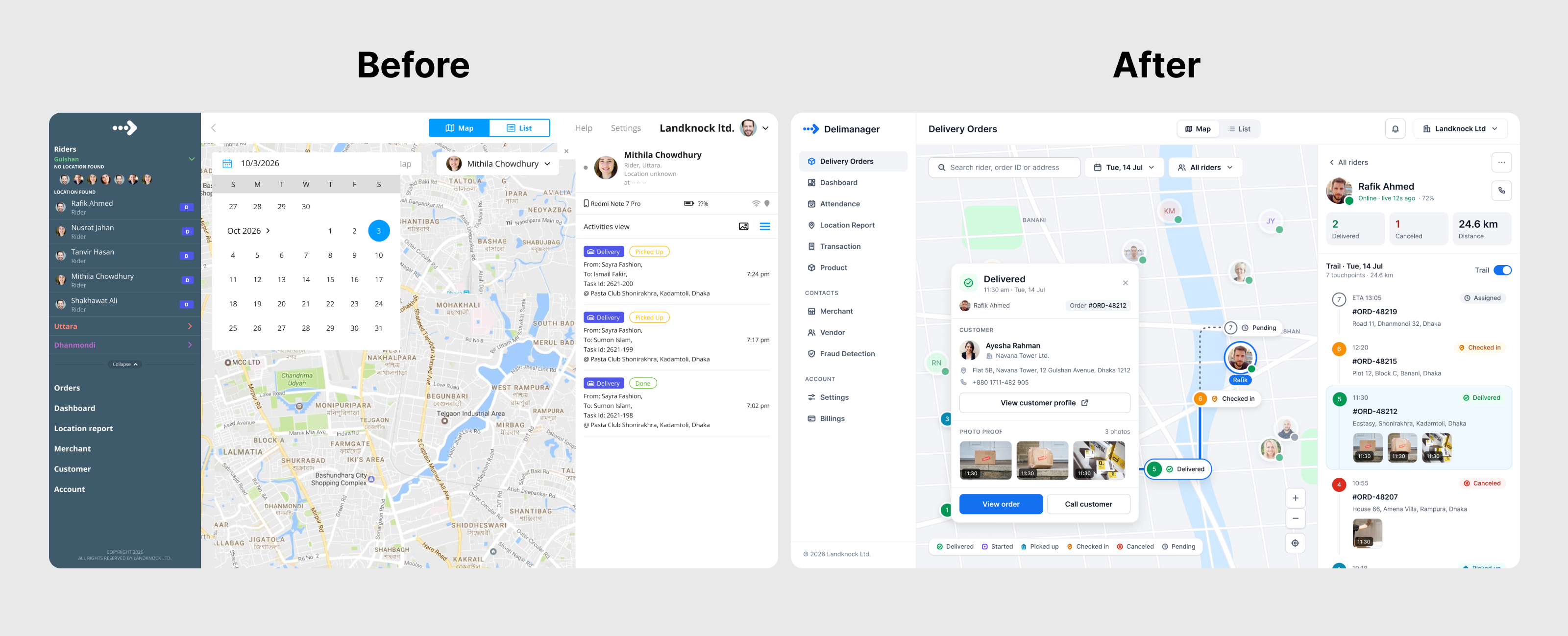
Dispatchers watch riders and act on orders in the same place. The map shows each rider live, with the day's trail, checked-in stops and photo proof of delivery in the side panel, and a legend for Delivered, Started, Picked up, Checked in, Canceled and Pending.
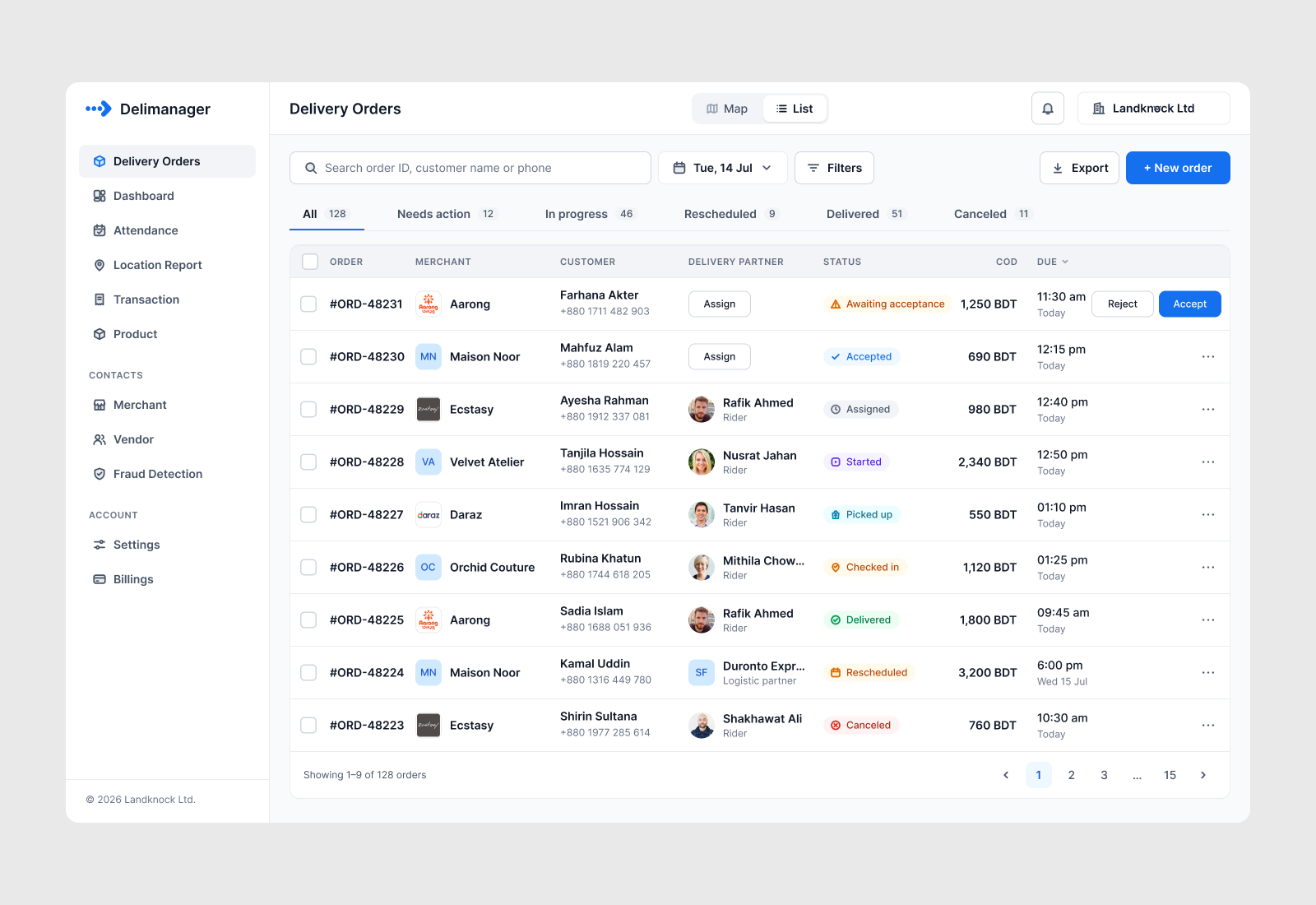
The order list sorts the day into tabs (All, Needs action, In progress, Rescheduled, Delivered, Canceled), with search, date and filters in one bar. The actions an order needs, such as Assign, Accept and Reject, sit in the row itself.
The Merchant Panel, White-Labeled
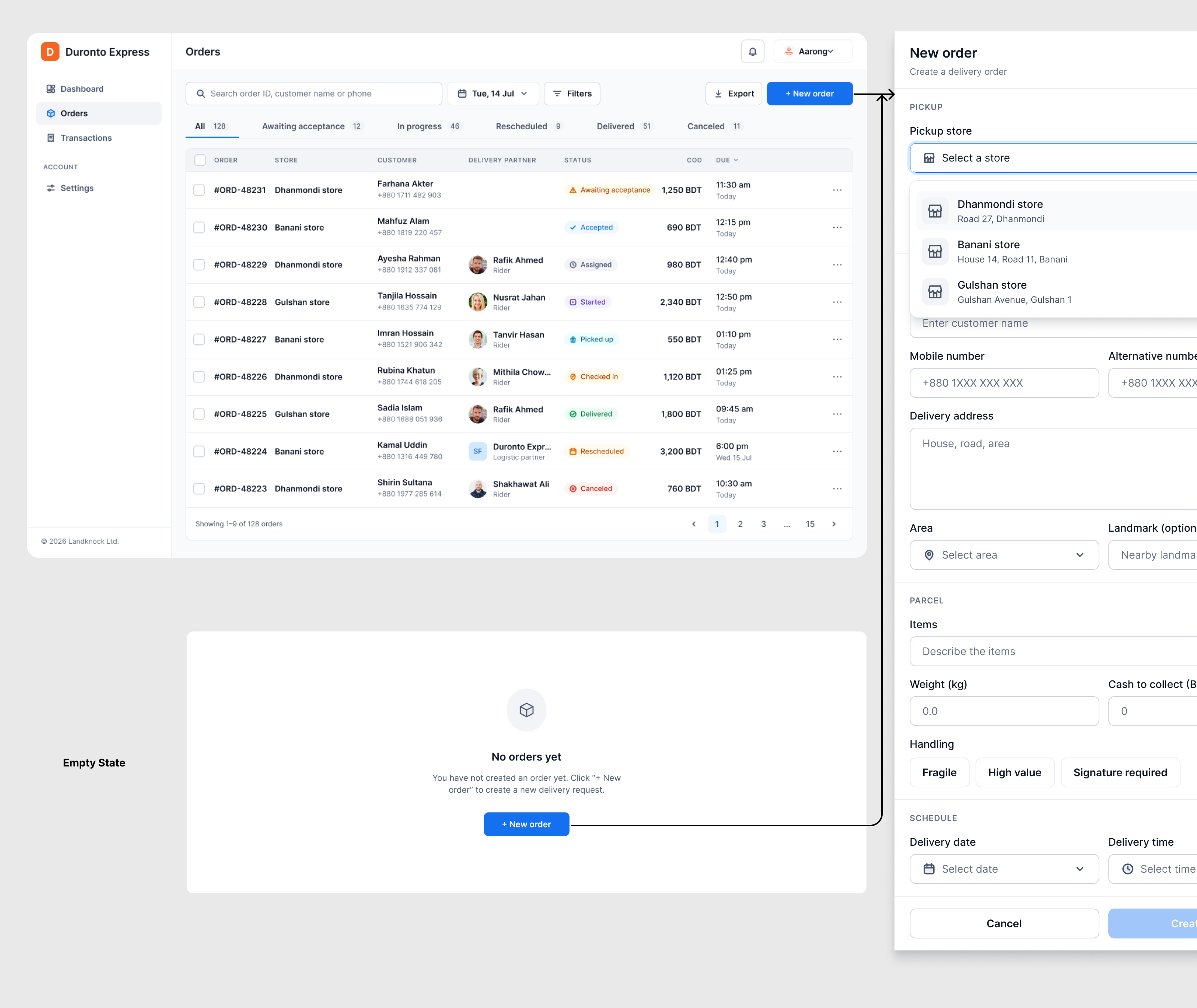
Merchants place orders and follow them: their own order list, a New order form (pickup store, customer, address, parcel details, schedule) and an empty state that points to the first order. Delivery companies asked for a panel hosted on their own domain with their own branding, since a Landknock-branded panel was hurting their brand value and trust with their merchants. We built it as a white-label solution.
The Rider App
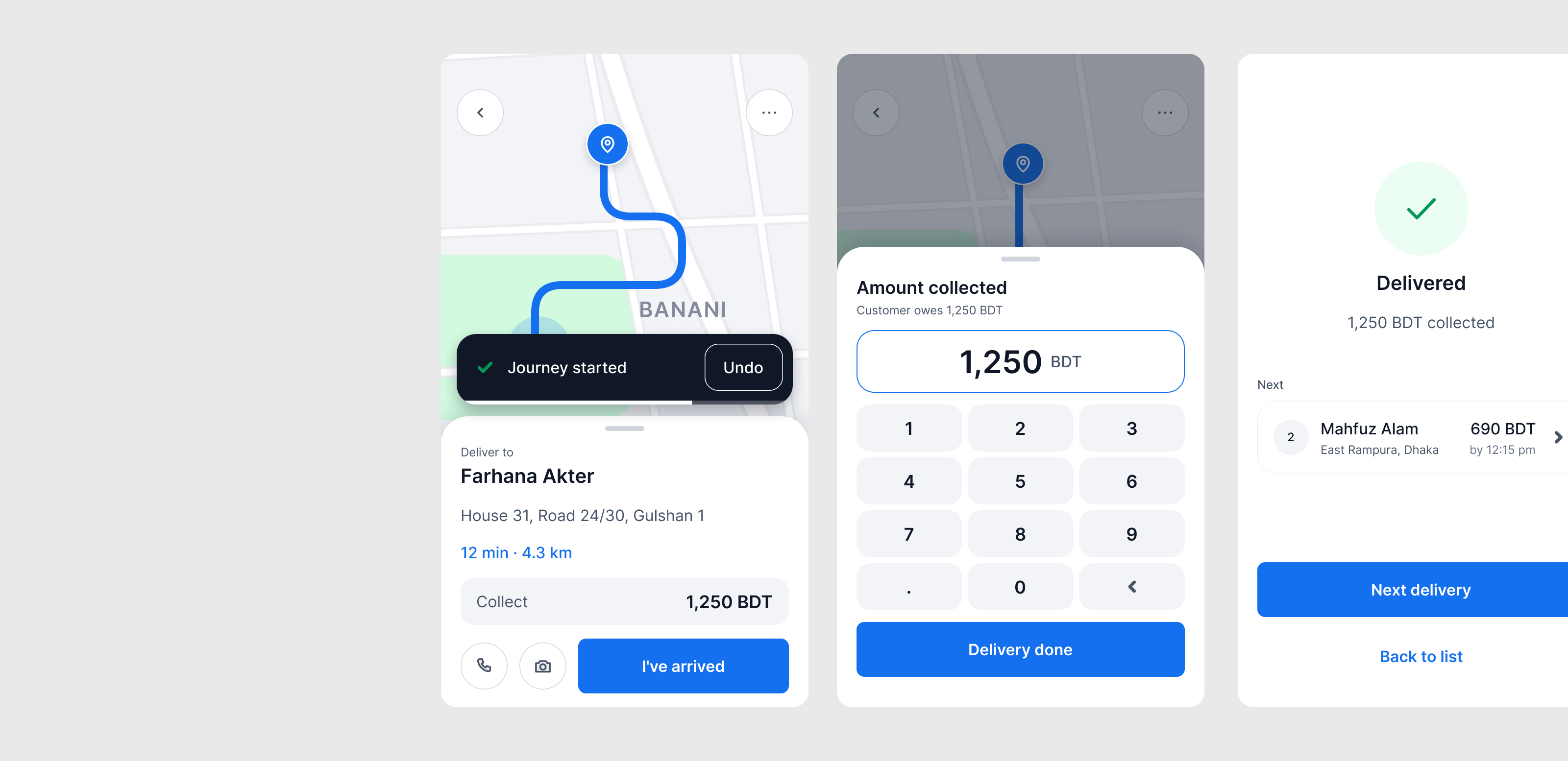
We worked on the field-force app for riders and changed its functionality for delivery. Riders see the day's tasks in one list and move through each delivery with one clear action at a time: start the journey, mark arrived, collect the amount, mark done, then go to the next delivery.
Results
Delivery companies adopted the product quickly, and their riders delivered about 50% more parcels a day.
Adoption
- ~40
delivery companies signed up in the six months after launch, before COVID.
- 200+
came in a single month after COVID raised delivery demand.
- 500+
delivery companies over time, reaching more than 2 million end users.
Rider and Dispatcher Productivity
Riders went from 20-25 to 35 parcels a day, about 50% more.
Dispatchers went from 3-4 hours to about 1 hour organizing the day's orders, so riders left the warehouse earlier.
The Accidental Discovery
We never planned to build Delimanager. A usage count made the decision for us.
Landknock built workforce monitoring software: a product that helps companies with field teams track where their people are, assign them work and see what got done. That was our product, our customers were happy, and we had no plan to build anything else.
While running usability tests and tracking usage, I counted who our first paying customers actually were. Twelve of our first 23 were delivery companies. The software was built for field teams, and nothing in it addressed last-mile delivery. People do not pay for software that misses their need, so either they were making it work or there was a gap in the market. I wanted to know which.
So I talked to them. They were stretching a workforce-monitoring tool into a dispatch system, and one owner compared it to using a spaceship to go from New York to New Jersey. The cheaper path was a delivery module inside the workforce dashboard. I argued for a separate product with its own market research, packaging and revenue model, and I pitched it on the strength of that one count.
Talking to Delivery Companies
Before designing anything, I spoke with 30 delivery companies to find out whether this was a real market.
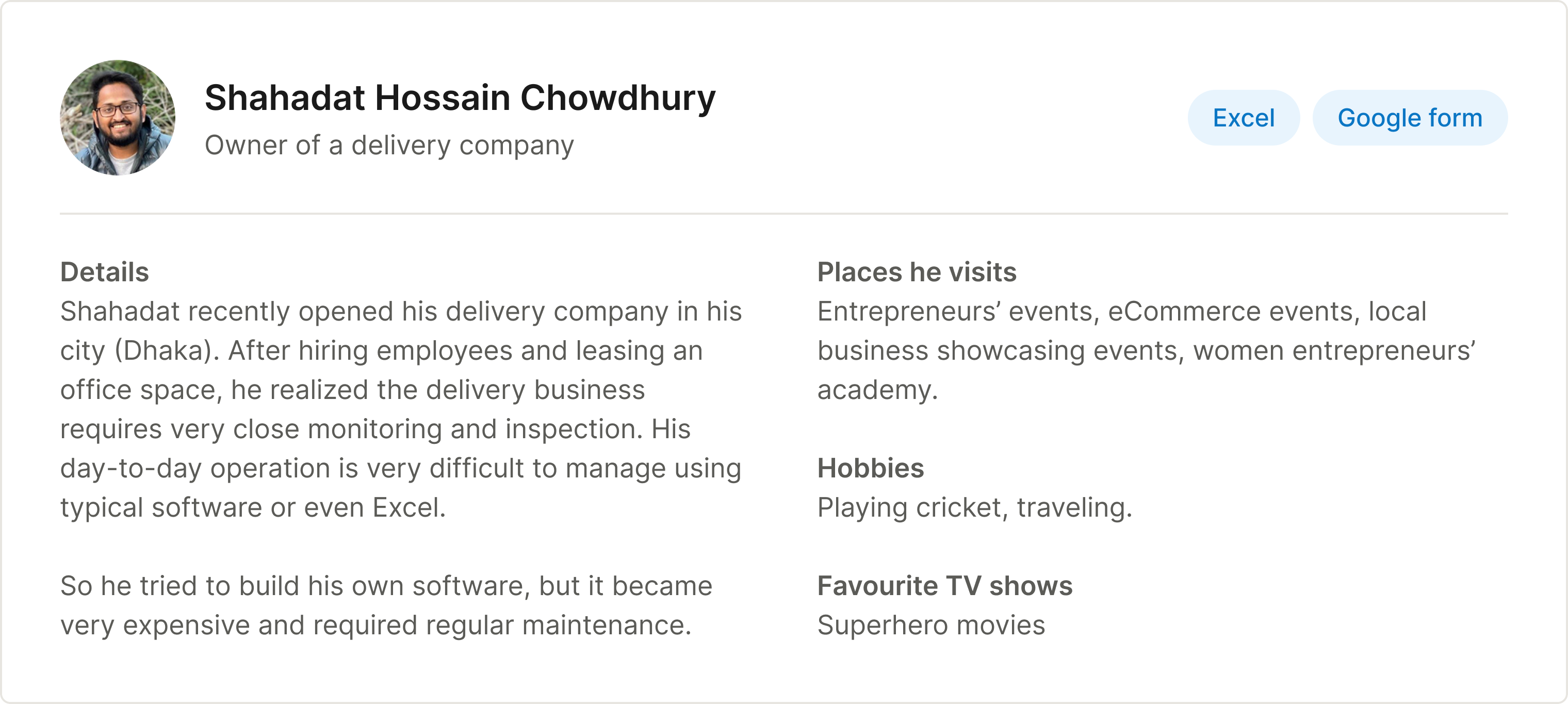
I spoke with 30 delivery companies in total. I started with one owner and built a profile of the customer I was designing for, then put the same questions to the other 29. What they told me decided what we built first.
Customer profile
Interview questions
Discoveries

What It Told Us
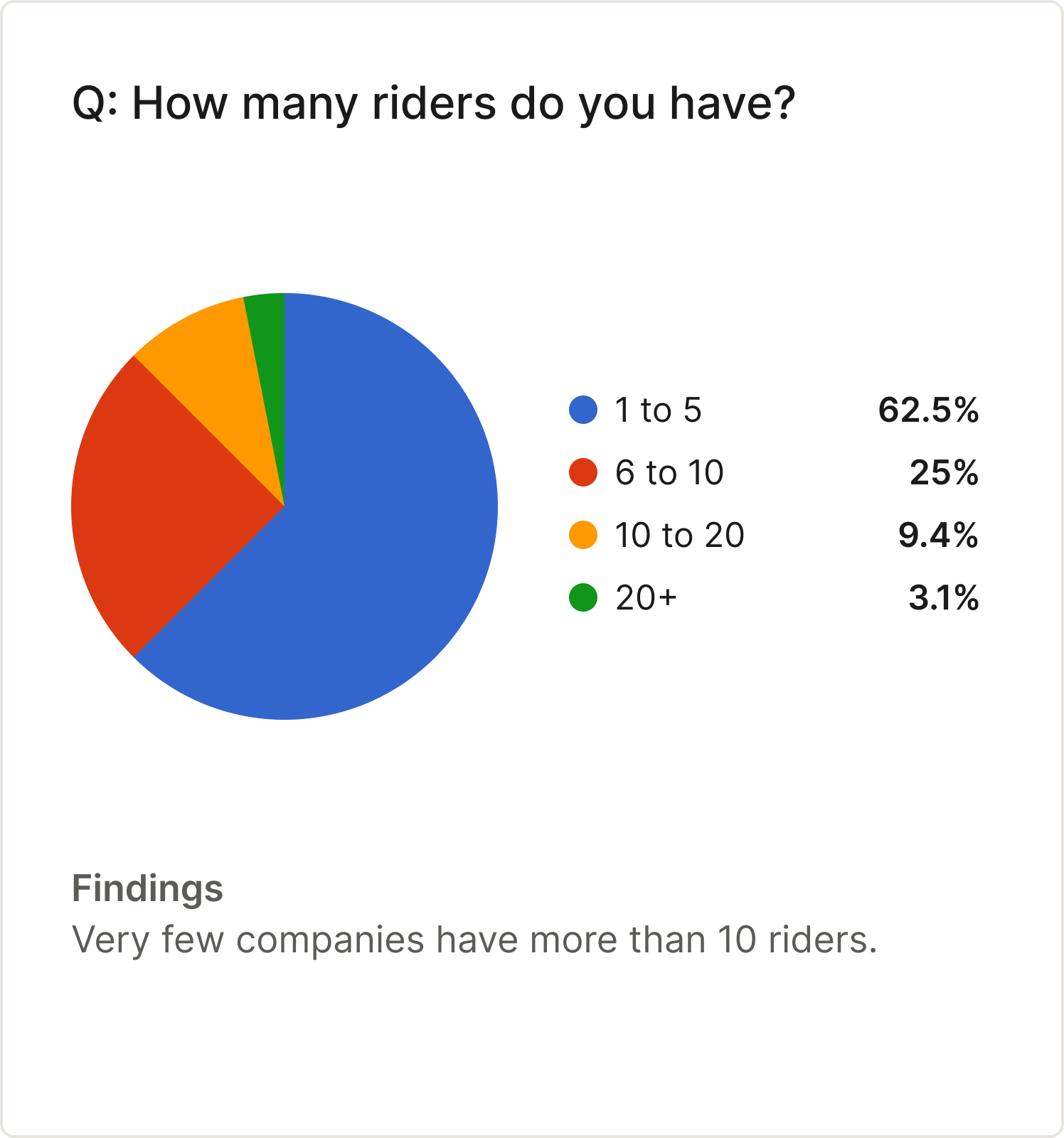
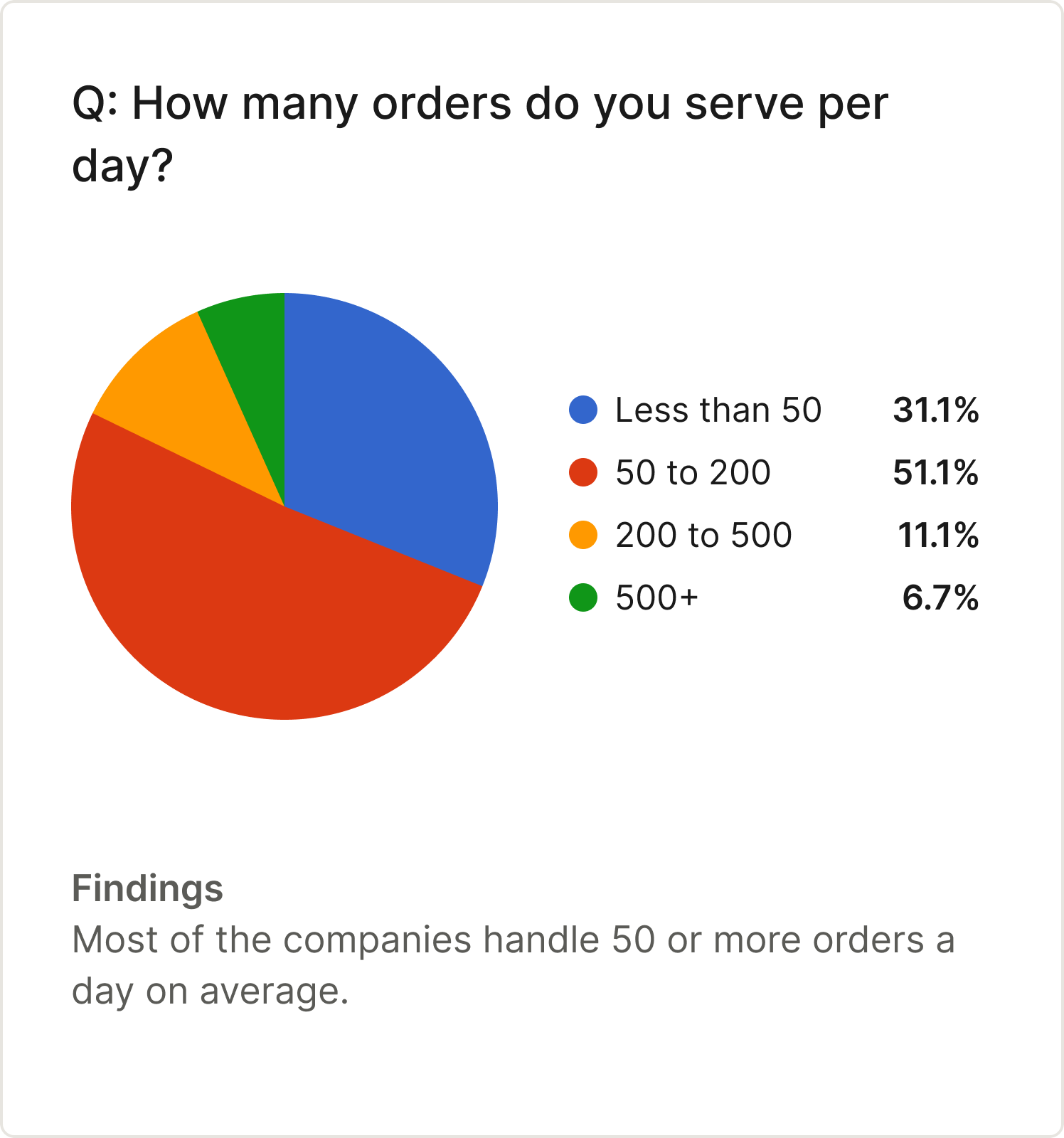
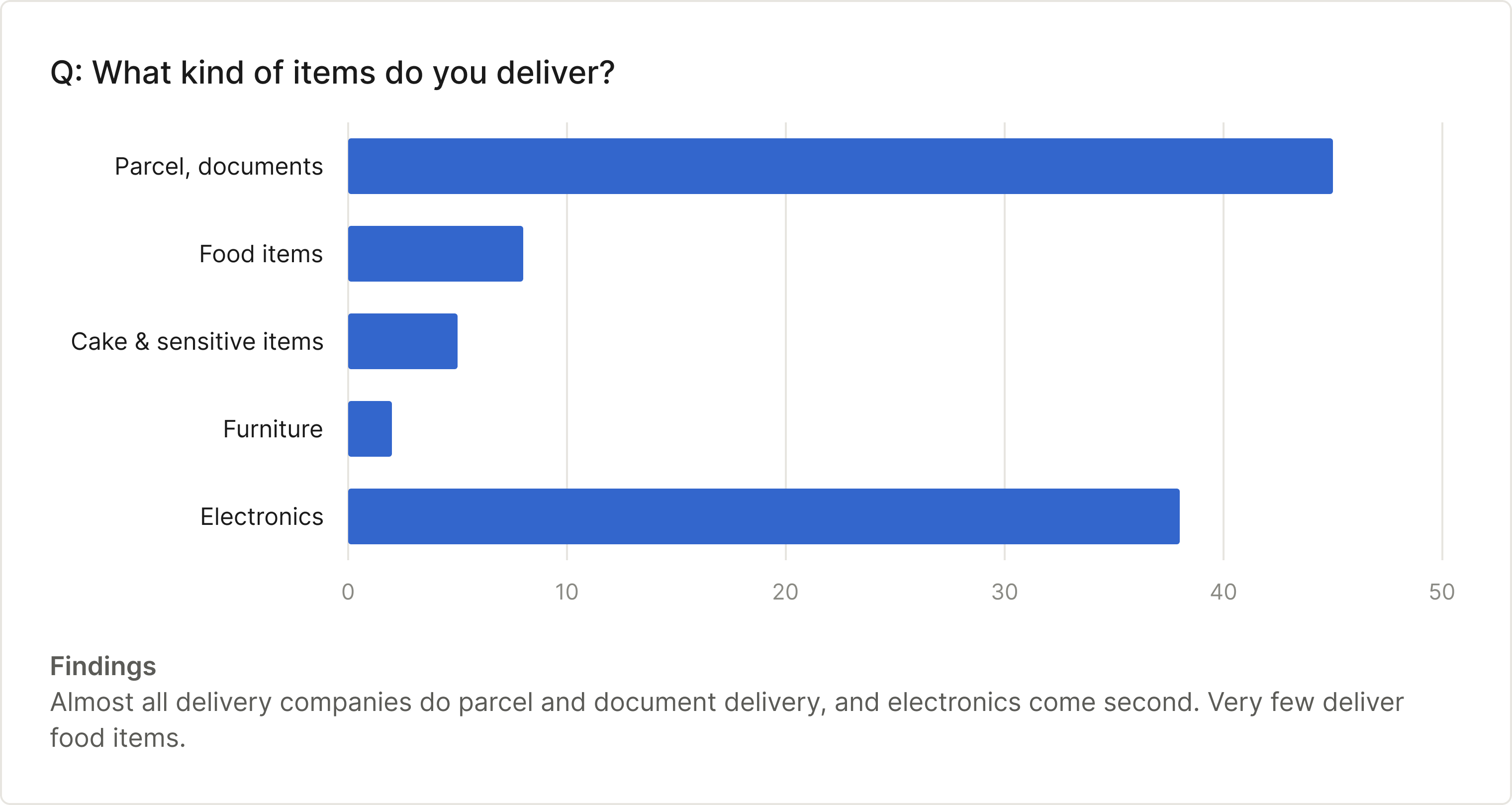
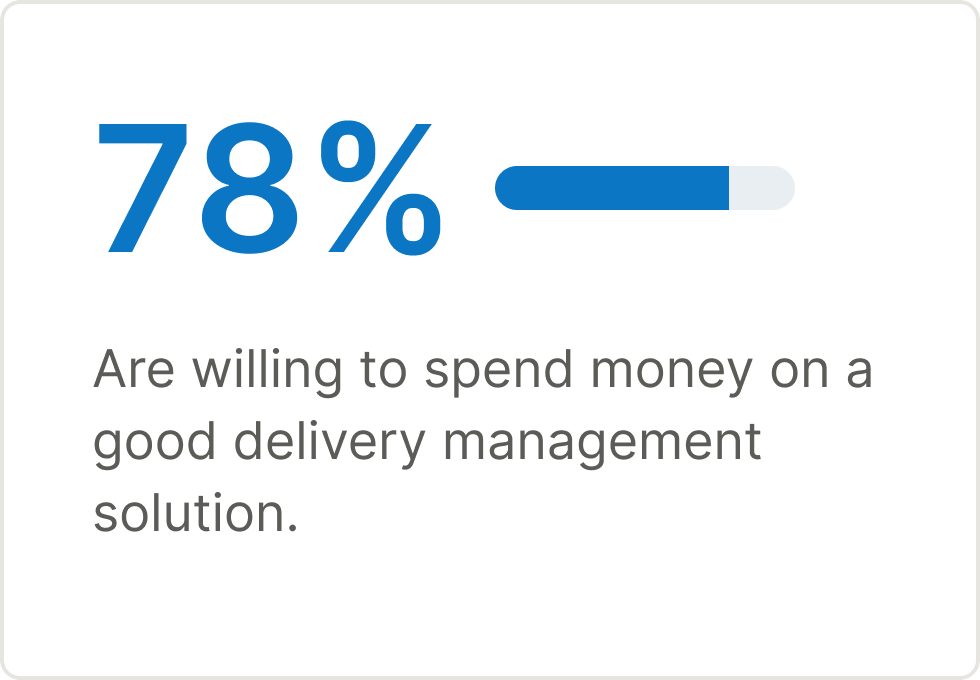
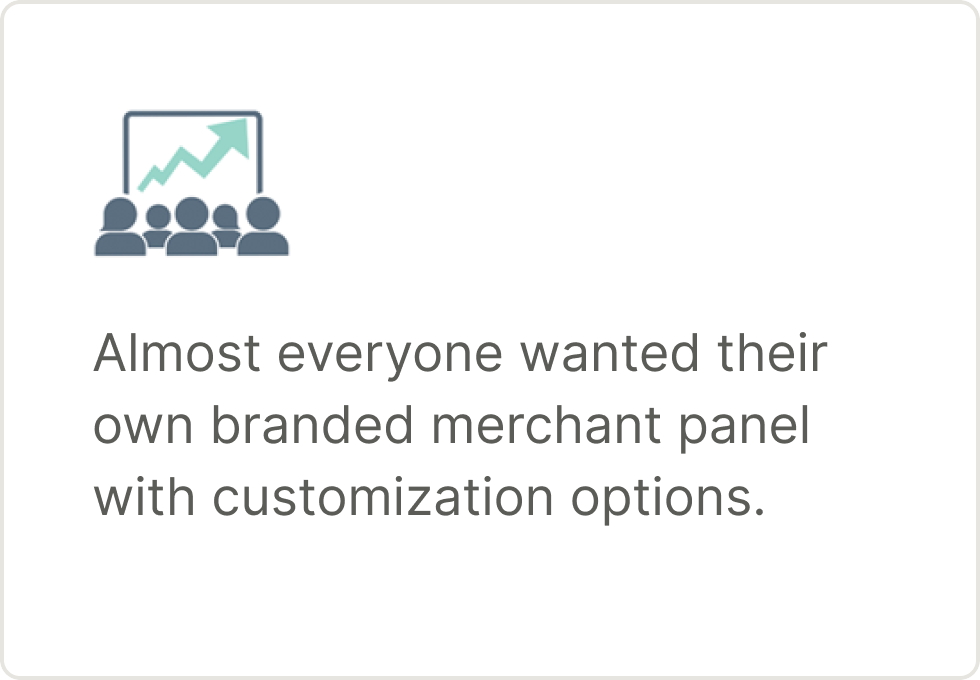
Owners ran small teams of one to five riders, mostly on Google Sheets and Forms, with parcels and documents first and electronics close behind. A paid product was viable: 78% would pay, and the 28% already paying for software and unhappy with it gave us a second way in. Getting started had to be quicker than a spreadsheet, and the request I heard most was a branded merchant panel, which became the white-label panel.
User Stories
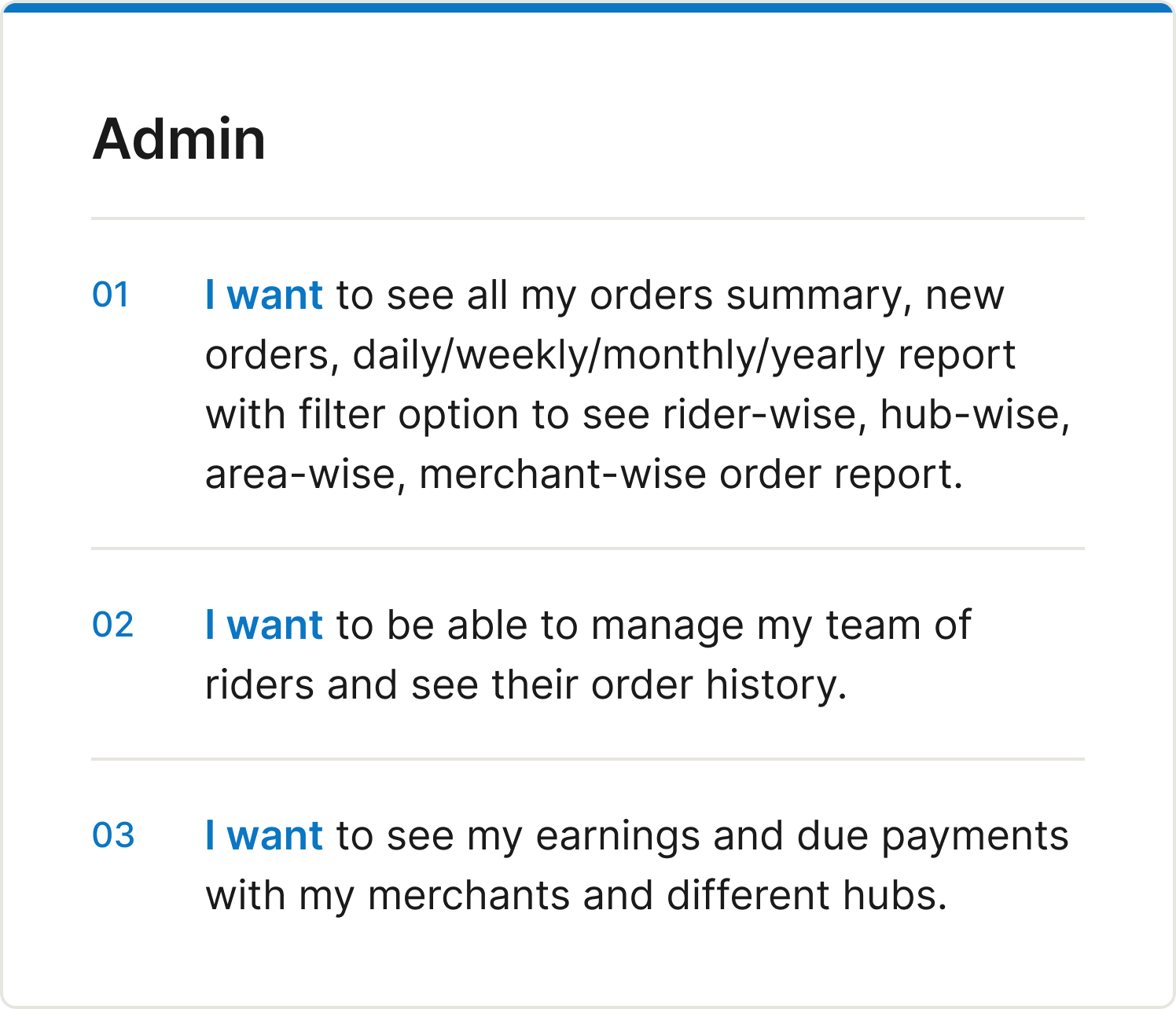
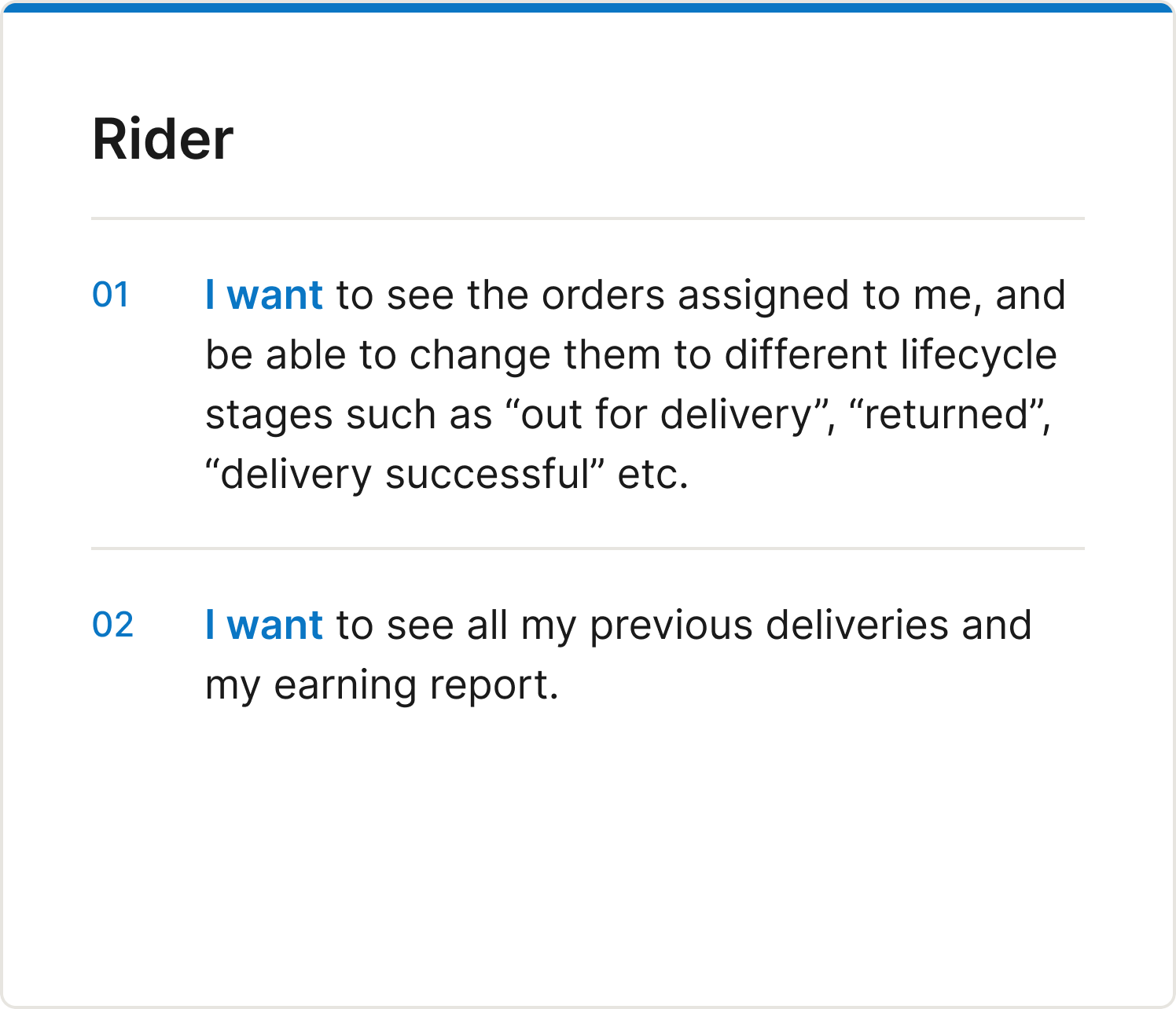
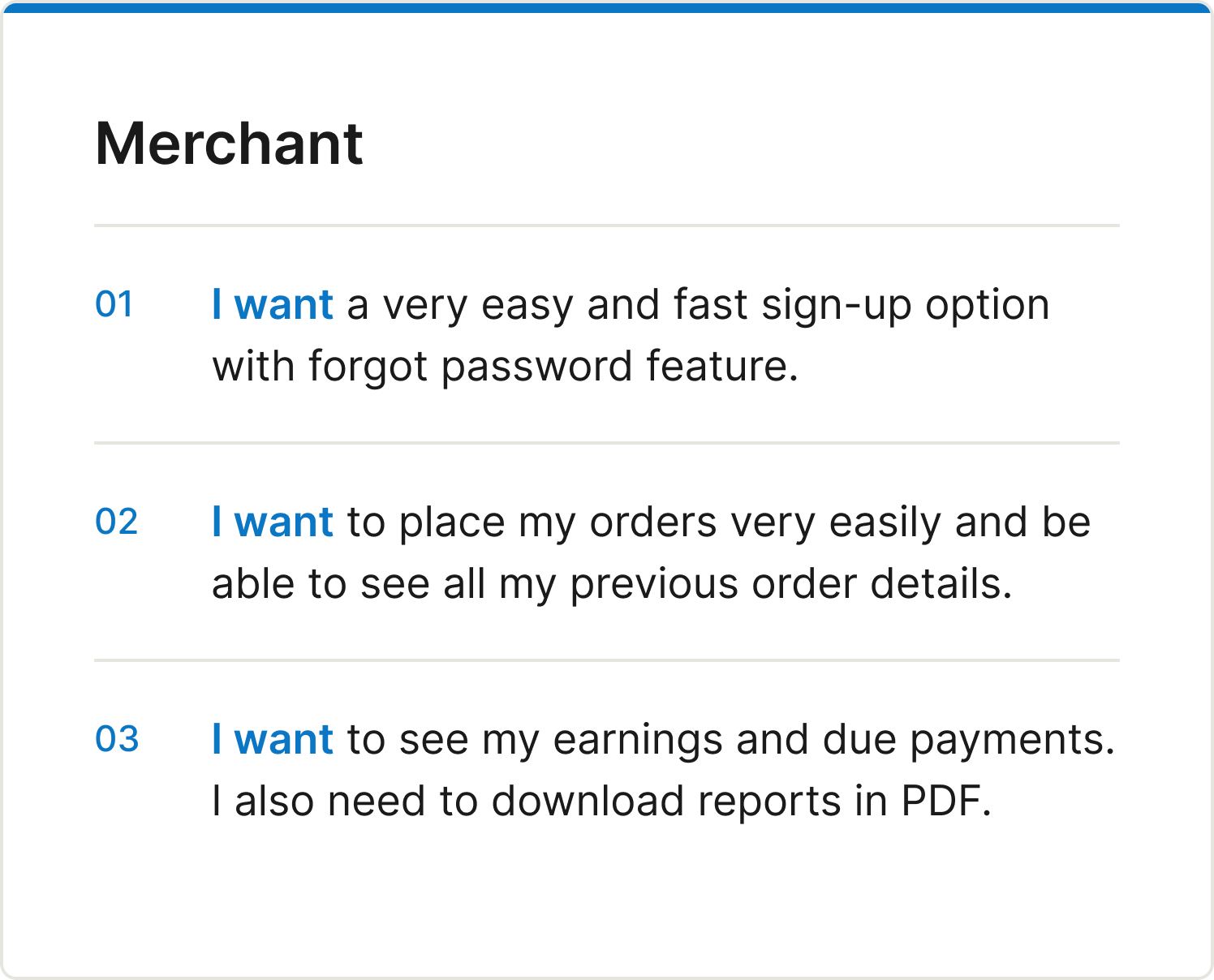
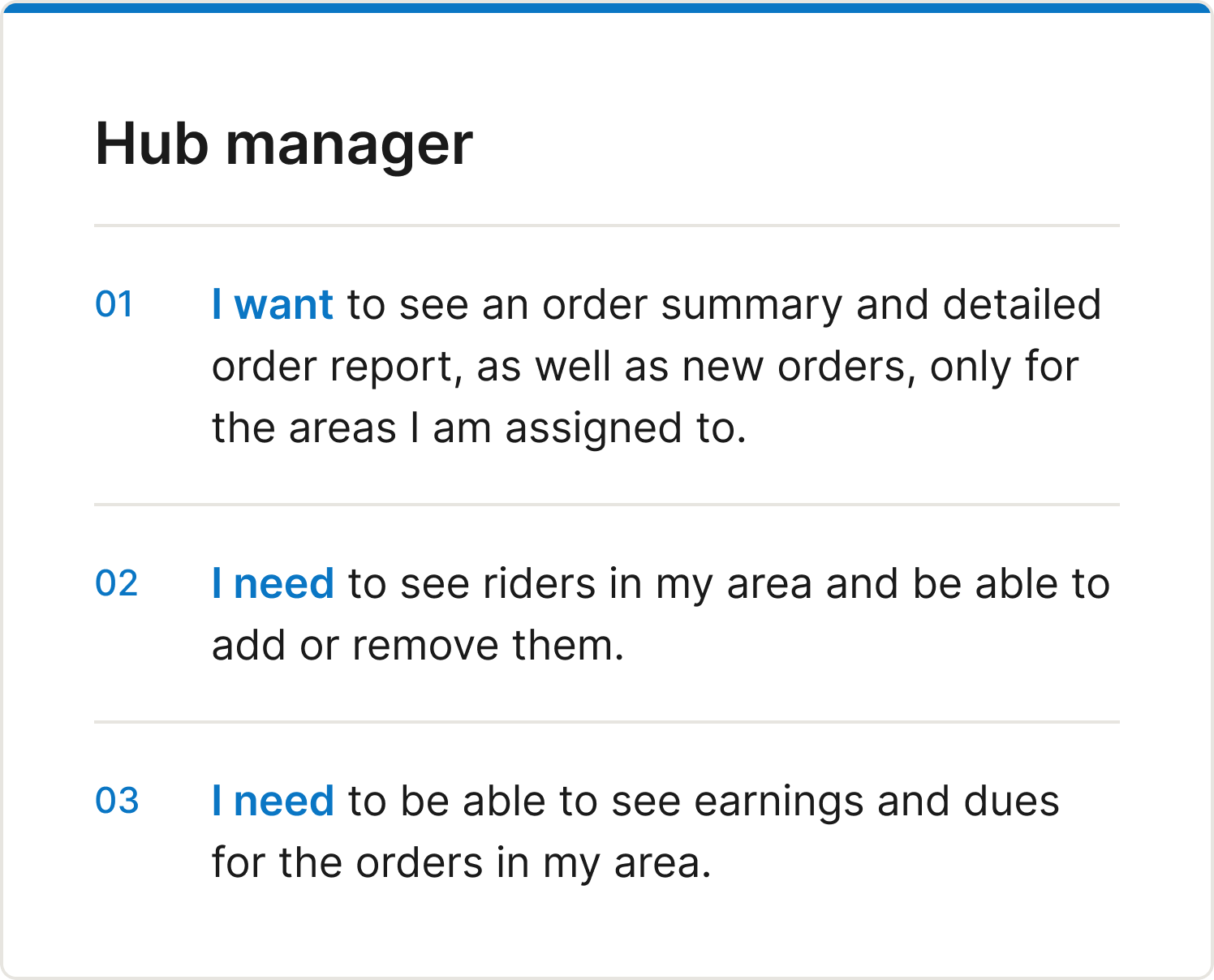
Talking to delivery companies showed me four people who touch every order, and each needed something different.
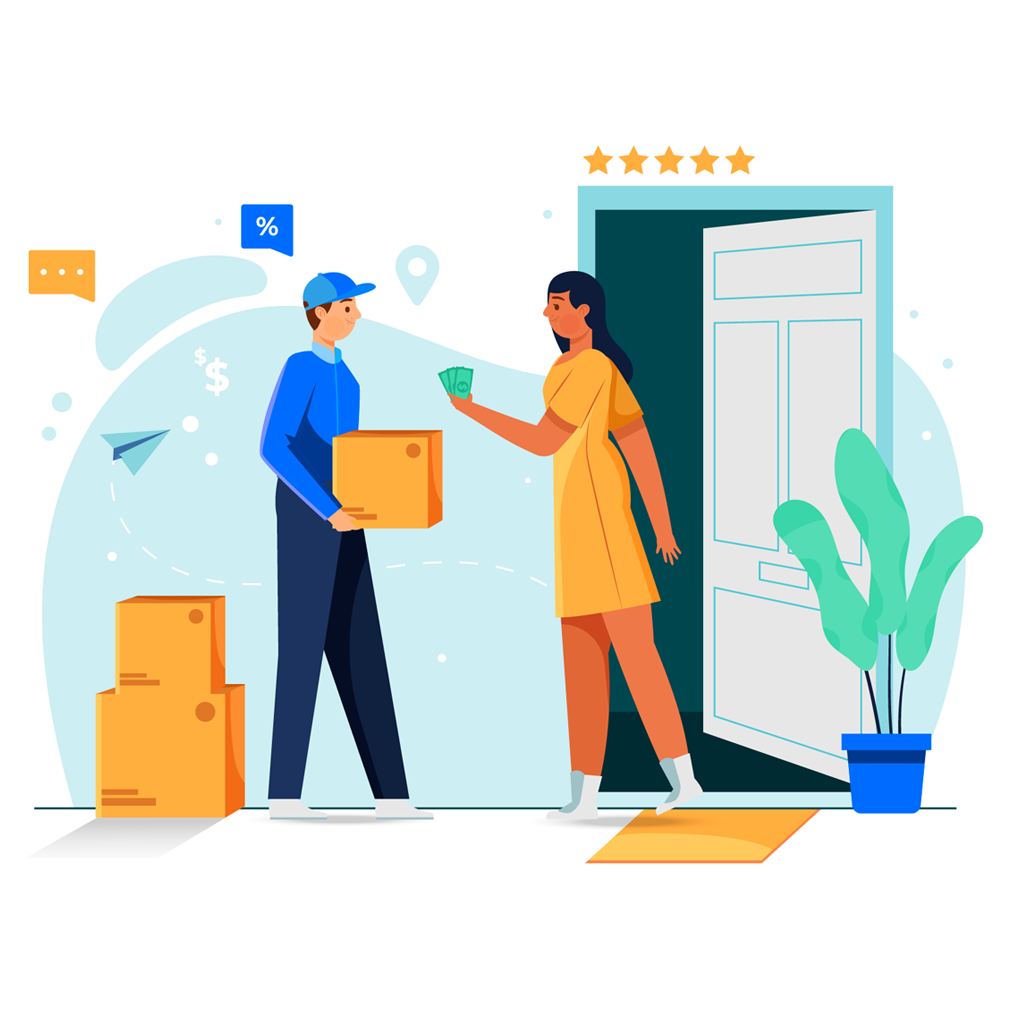
From those conversations I wrote user stories for each role. Their needs did not overlap enough for one dashboard, so each role got its own permissions and its own view of the same order.
The Inherited Stack
Delimanager was a byproduct of the workforce software, so the design job was mostly removing what did not belong.
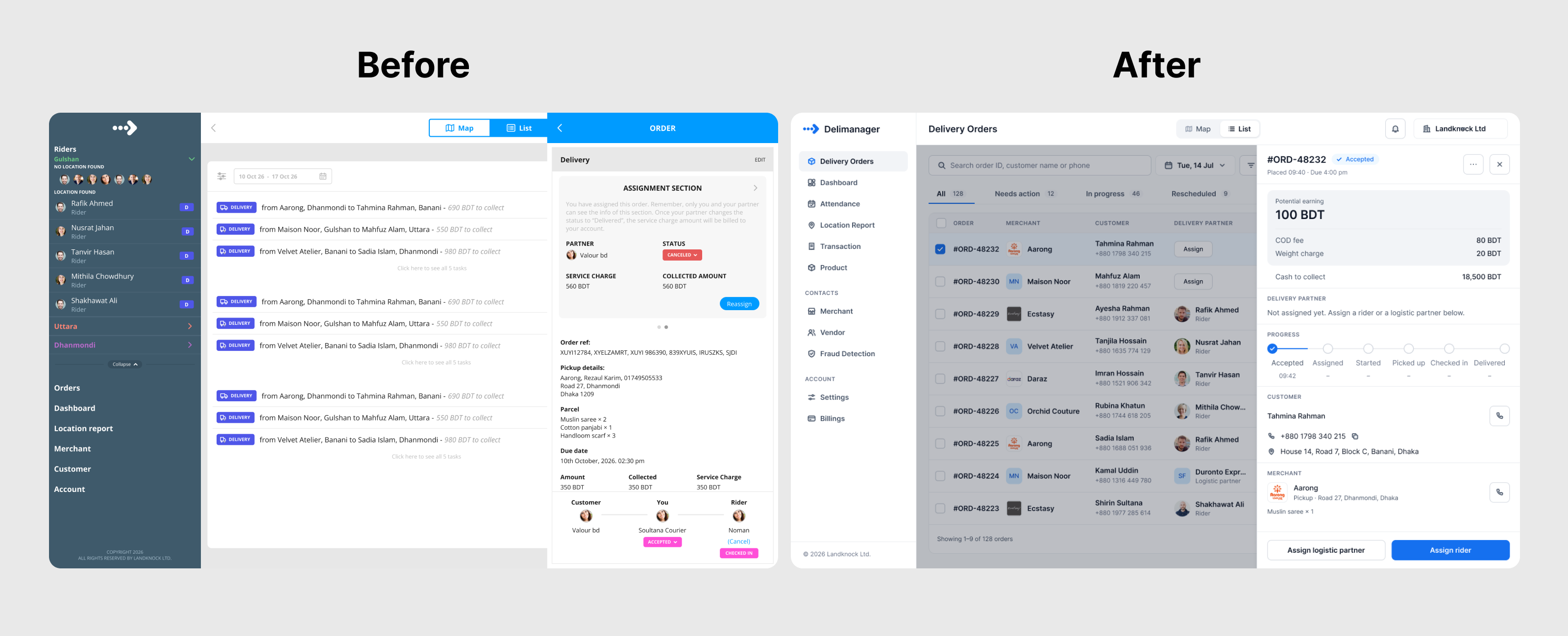
Delimanager grew out of Landknock's workforce monitoring software, which I had designed earlier (read the Enterprise Workforce case study). We were moving very fast so we began from the legacy product. The cost was the legacy look. These users wanted faster outcomes and were comfortable with modern technology, but we were a small team, so we added features one at a time and the product stayed old-fashioned for a long time while we kept improving it.
In 2026, I redesigned it with Claude
Recently we redesigned the UX and the look and feel, and I used Claude to do it. The inputs were our customer complaints, our analytics, our existing data and our existing screens. We knew what we wanted, so I did not rely on Claude's judgment. I used it to speed up processes I already understood, which would have taken months by hand.
The legacy design system was also weak, since it came from enterprise software, so I rebuilt it with Claude as well (see Design System below). One open item: the result resembles Google Material Design and shadcn. That is fine for this stage. The next step is to customize it so the brand voice survives, since Landknock's identity comes from having emerged from a legacy enterprise system. I expect to use Claude for that too.
A Few Wireframes, Then High Fidelity
No sketches, a few wireframes, and then the final screens.
The legacy designs already gave us the structure, so I did not sketch on paper. I drew wireframes only for the screens that were new or changed a lot: the dispatcher web app (map, orders, create order, order detail, rider teams, status settings) and the rider app (menu, deliveries, billing, cancellation reason, confirmation). Working in grey kept each review on structure and flow before color arrived.
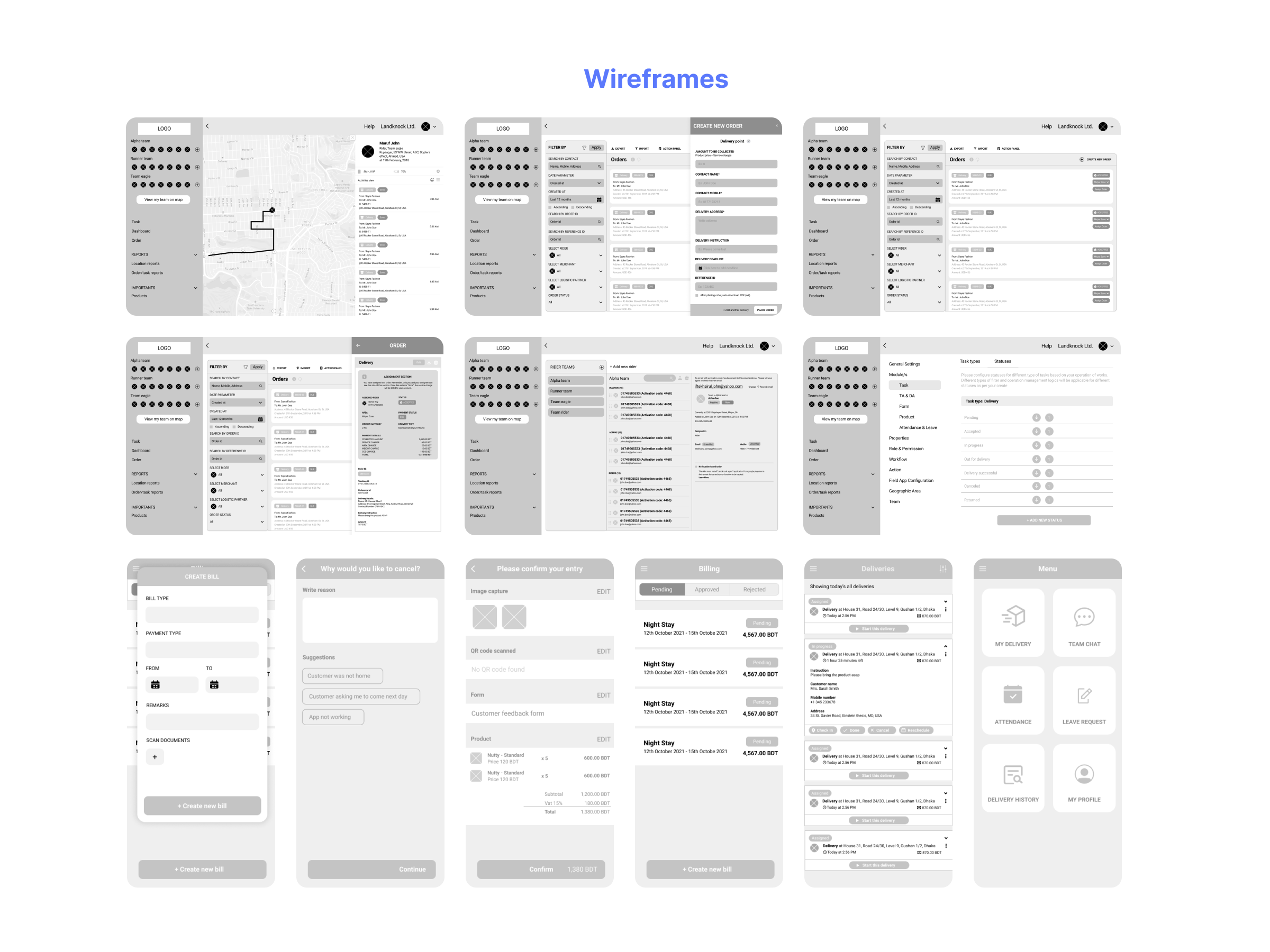
Once the structure held up, I moved to high fidelity and designed the screens shown in the Solution section above, in the product's blue and slate palette.
After Launch, There Were a Few Setbacks
Once delivery companies ran their real operations on it, each wrong guess showed up as a conversation, and each fix saved them time.
Issue 1: I Assumed the Delivery Company Would Create the Order, and I Was Wrong
My first idea was that the delivery company creates every order, because that was how their old operation worked. After I interviewed them, I realized an order should be an open channel. A merchant can create an order from their own panel. Some merchants would rather send the order on WhatsApp, and then the delivery company creates the order on the merchant's behalf. Both paths had to work.
Once we opened the channel, a lot of human hours went out of the operation. For the first time, delivery companies could tell their merchants to create their own orders from their own panel, and they had time left for other work.
Issue 2: Merchants Had No Panel to Create Orders
For merchants to create orders, they needed somewhere to do it. We had not built a merchant panel at launch because we did not yet know it was needed, so we gave them one. Then delivery companies asked for a branded version. Their merchants were their customers, and a Landknock-branded panel hurt their brand value and their merchants' trust. We built a white-label panel they could host on their own website and domain.
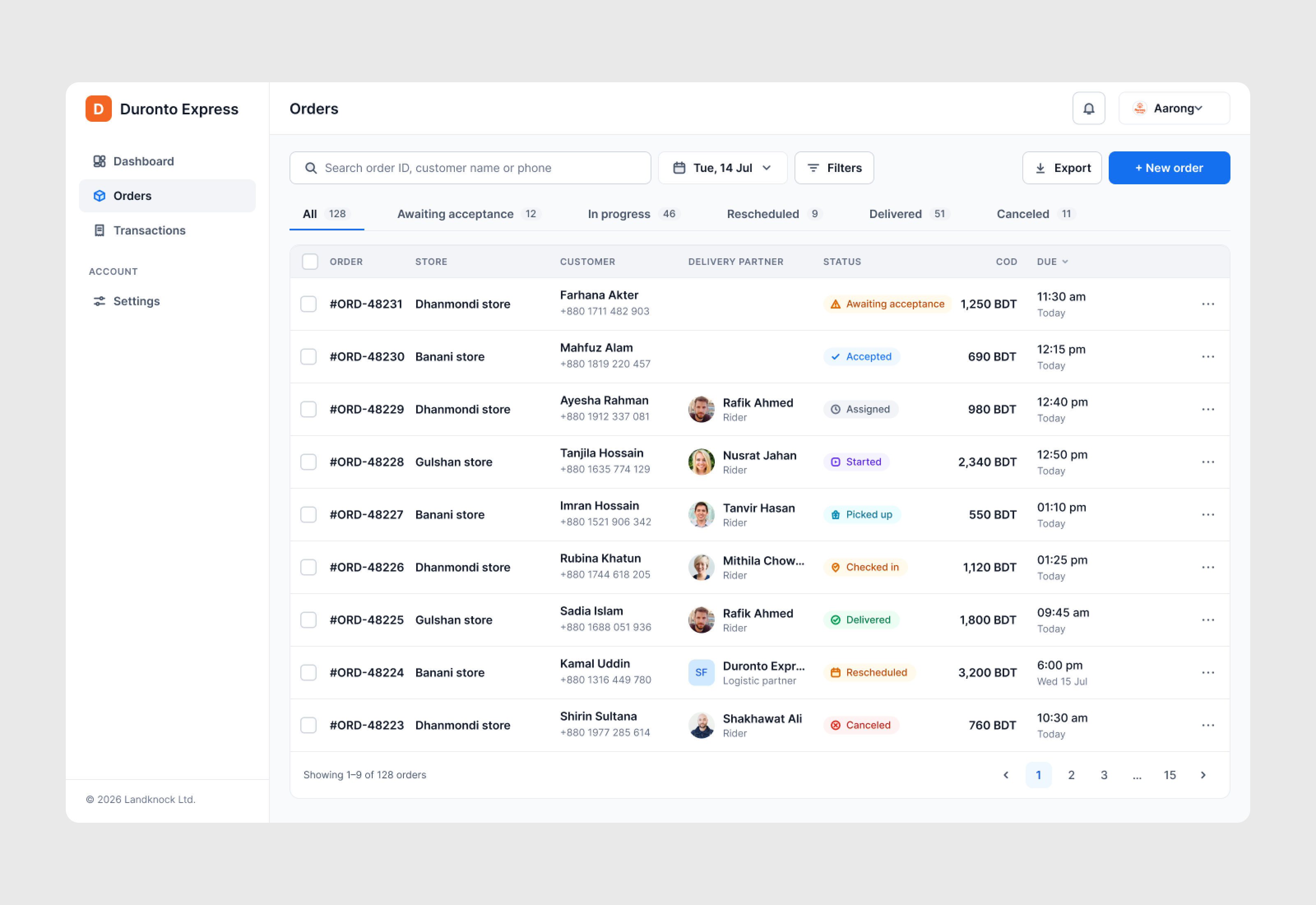
Solving these two issues improved the workflow and saved delivery companies time. In the rider app, automating the same steps meant riders could work through more orders each day.
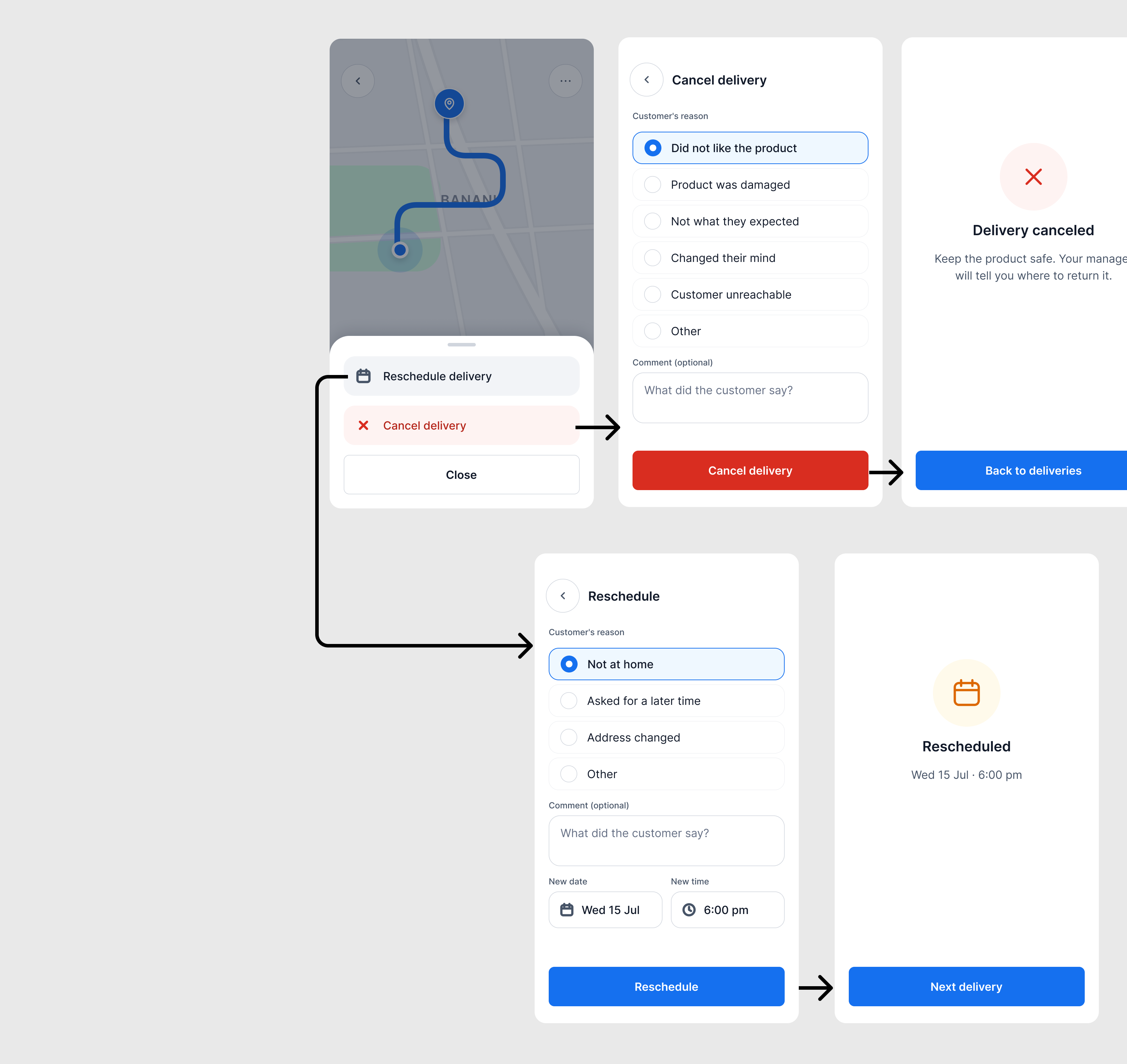
Issue 3: I Didn't Know That a New Workflow Begins When an Order Is Cancelled or Rescheduled
So I designed it wrongly. I treated a cancelled order as the end of the workflow. In logistics it is not. A cancelled parcel goes back to the warehouse and often back to the merchant. Customers also cancel at the doorstep and return the parcel. Each of those is a step with its own workflow.
The reason for a cancellation mattered, but the real problem was trust. We did not build it right at launch. Delivery companies complained about a transparency gap: when an order was cancelled, there was no way to track who cancelled it and why. We added it later as part of iteration. Delimanager is a logistics app, so trust between merchant, delivery company and rider is the product, and a cancellation without a who and a why breaks it.
Rescheduling came out of the same conversations. A rider or dispatcher can reschedule an order with a reason and another date for the next attempt, and that removed a lot of bottlenecks from the daily flow.
Design System
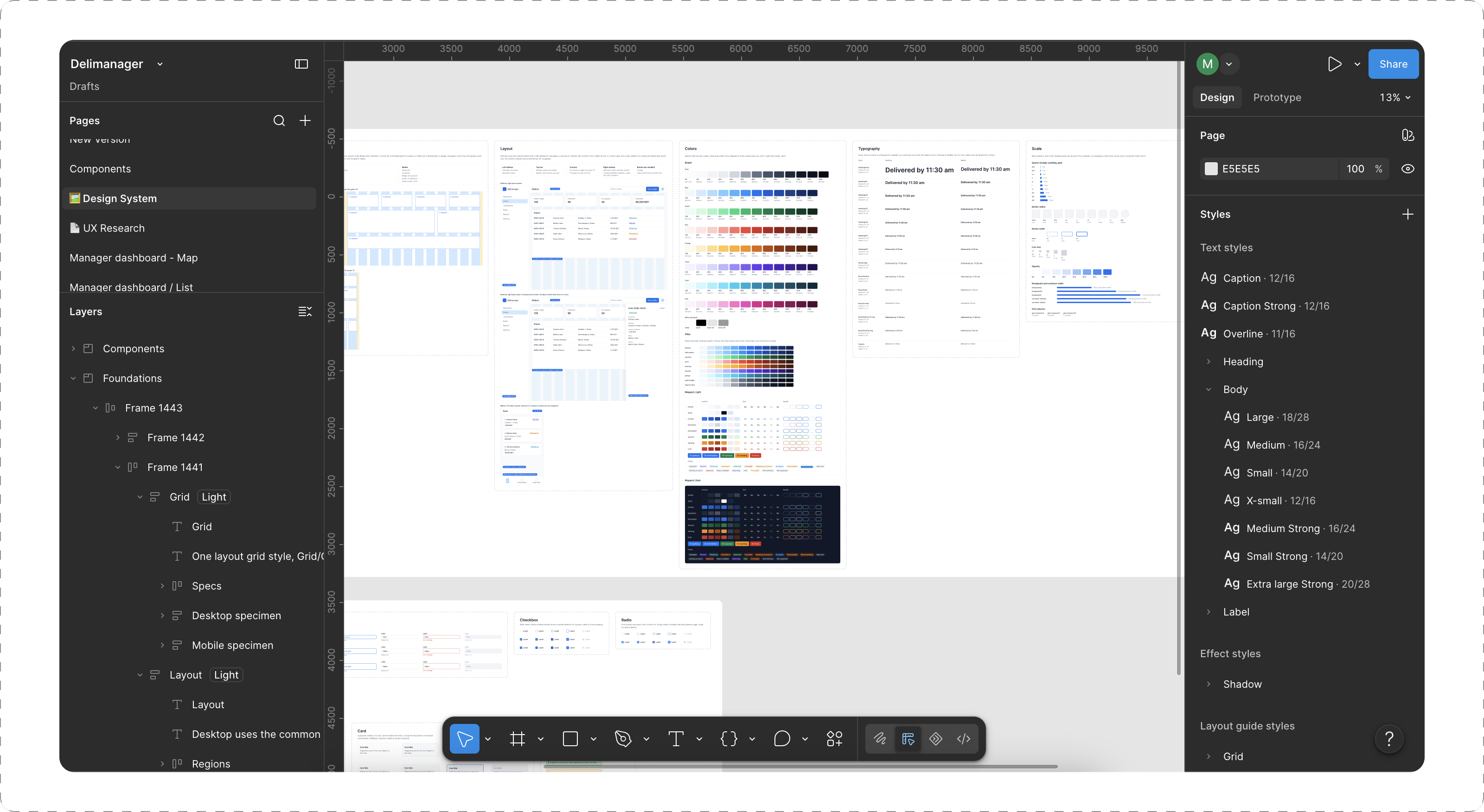
I built the entire design system with Claude, and I was surprised by how accurate it was.
I already had the legacy designs and the previous screens, so Claude had a lot of real material to work from. That made it easy to generate the design system in Figma, and the level of accuracy surprised me.
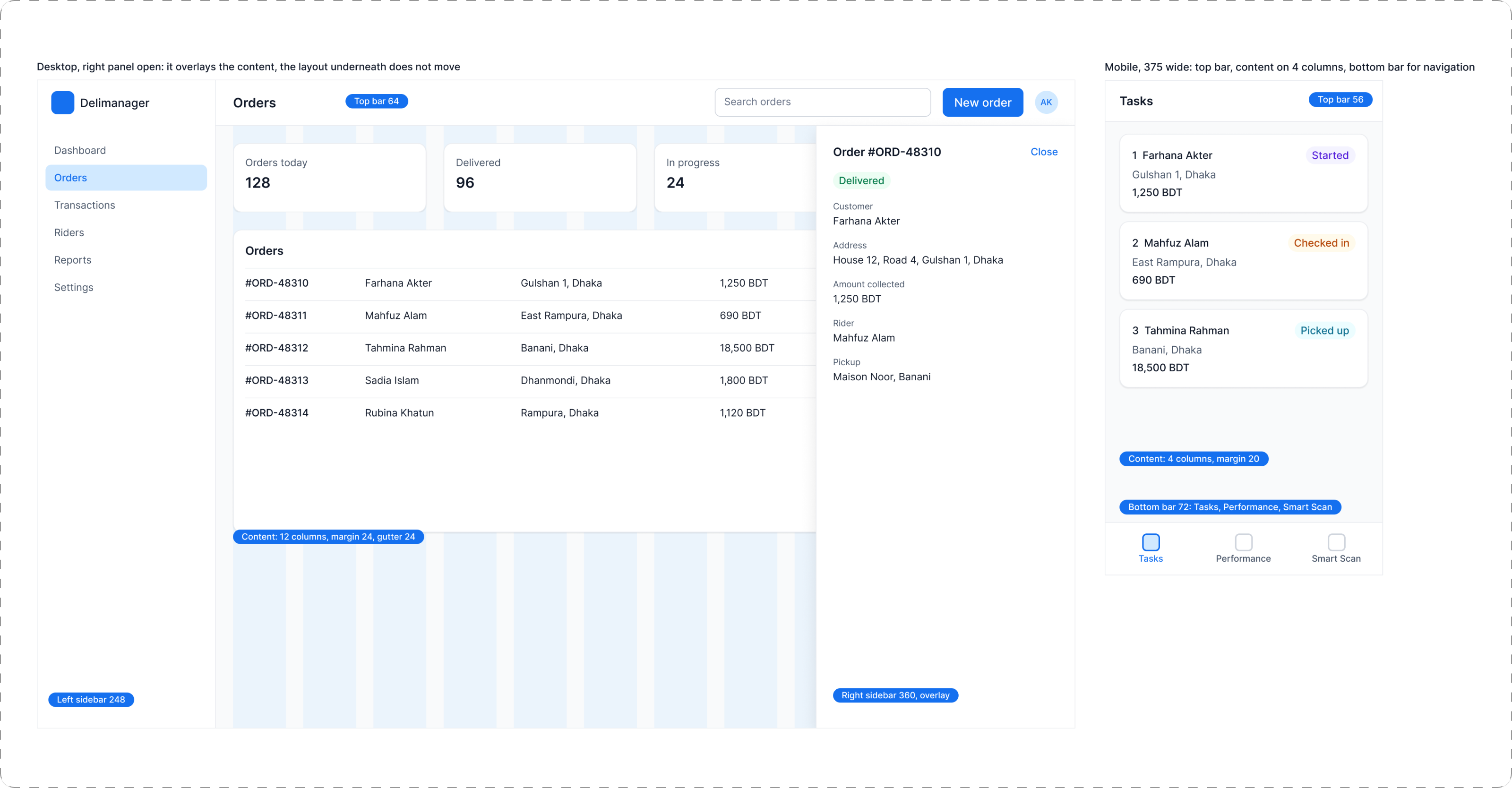
Some of the decisions were mine. For the grid I chose 12 columns on desktop and a 4-column grid on mobile.
The variable token architecture was also created with Claude, based on my instructions: brand, scale, alias, mapped, responsive and styled variable tokens.
Reflection
In logistics, the workflow decides the product, and speed of data entry decides the workflow.
Delivery software lives or dies on how fast people can put data in. That puts the workflow at the center of every screen. Cancellations show it best: a canceled order sends a parcel back to a warehouse or a merchant, and the reason for it keeps the business honest. I did not know that when we started, and now I design for it first.
Two more lessons from this product:
- Constraints can be the design brief. A legacy product to cut down, a shared backend and a tiny team pushed us toward starting from what existed and adding one feature at a time.
- Evidence in, quality out. The same habit that started the project, counting what customers actually do, is what made Claude useful at the end.
Next, we are adding AI automation to the logistics workflow.